How to Take Charge and Protect Your Business from Tech Support Scams

Would you believe that not all technical support representatives have your best interest at heart? While we know that everyone has had a bad support experience at some point, we are not referring to grumpy technicians; instead, we mean scammers posing as support representatives to gain access to your information.

At Cantrell’s IT, we’ve seen several forms of tech support fraud; recently the most common, though, seems to be “Microsoft technicians” and antivirus software license renewals. The general scheme is to reach out to the victim posing as a support representative to gain device control and financial information.

How They Make Contact

Scammers can make contact in various ways:

  • Telephone: unsolicited calls from people claiming the potential victim’s device or computer is infected.
  • Search Engine Results: users looking for support can fall prey to these scams by clicking on ad results to their search. Bad guys will place ads with search engines for their fraudulent tech support companies.
  • Pop-Up Messages: on-screen pop-up messages alerting users to virus infection is another way criminals lure people to their fake support companies.
  • Email: phishing emails announcing an antivirus renewal charge is another method used to connect potential victims to fake support companies. Following is an example email sent to both a customer’s email and my email recently:

“Greetings from McAfee

Your registered account has been debited with a total of Usd $449.99 for the purpose of renewing your McAfee Total Security Plan, which expired yesterday. These charges would automatically reflect in your account statement within 48 business hours of receiving this mail. For any queries or concerns please call our service helpdesk +1(800)395-0961”

  • Pop-Up with Locked Screen: criminals will program links to popular topics that can lock up a device with the goal of forcing the victim to connect.

Once contact is made, pressure is put on the victim to act right away and pay the company to clean up the problem. Scammers frequently insist on taking control of the device through a remote connection – giving them access to install malicious code, obtain sensitive information, and/or hijacking it for ransom.

How To Spot a Tech Support Scam

There are many ways to spot or head off a scam before any loss occurs.

  • Look closely at email addresses. Sometimes scammers will create emails with just a single character different than a legitimate domain.
  • Do not click on links from people you do not know and are not expecting.
  • If your screen locks up with a warning message, shut down immediately. (Shutting down when a screen locks up can fix real technical problems too.)

How to Prevent Scam Exposure

The best way to not fall victim to a tech support scam is to prepare for and prevent exposure:

  • Invest in advanced cybersecurity tools and support. Traditional antivirus is no longer sufficient, especially for businesses. Necessary tools include robust email malware and span solutions, plus advanced cybersecurity solutions to detect file-based and fileless malware, identify zero-day attacks, and automatically respond to kill and quarantine suspected attacks.
  • Have a cyberattack response plan in place and train your staff. At a minimum this response plan should include who to contact (with contact information), including your IT support team, and what initial actions to take. This response plan should be easily accessible and reviewed periodically.
  • Use pop-up ad blockers. If you are getting warnings of infections, it is very likely to be a very well-designed ad.
  • If you are looking for support, do not use any paid for search engine results. They are on top because they pay to be there, not because they are the best.
  • Keep all security applications, including operating systems, current. Restart your computers every week at a minimum to allow updates and patches to complete installation.
  • Resist following the “click” path shown in the email, going directly to a website and logging in normally is much safer.
  • When in doubt, call your IT team for advice.

There are indirect forms of protection available as well:

  • Have a knowledgeable commercial insurance agent review your business policy and discuss your cybersecurity coverage. If you do not know a commercial agent, we can make a recommendation.
  • Consider getting an identify theft protection solution for your business and staff such as IDShield. Again, we can make a referral.

If It Happens to Your Business

Unfortunately, criminals keep getting more creative. And we play in an unfair game; the cybercriminals only need to win once while we need to win every time! Even the best cybersecurity applications and caution on your part may not be enough. If a scammer does get through there are several things you want to do to protect your business and reduce the data breach and scope of attack.

  • Notify your IT and cybersecurity team immediately!
  • Consider contacting your commercial insurance company and local law enforcement depending on the scope of the attack.
  • Use an uncompromised device to change passwords. Check with your institutions, many can implement protective measures on your accounts.
  • Monitor accounts and personal information for unauthorized activity by using a solution such as ID Shield identity threat protection.
  • File a complaint with IC3 division of the FBI (ic3.gov) with as much information as possible:
    • Criminal and company information such as web sites, phone numbers, or email addresses.
    • Account names, numbers, and institutions that received funds.
    • Descriptions of all interaction with the scammer.
    • Email, web site, or link that connected you with the scammer.
  • Keep all records.

At Cantrell’s IT, we provide education and robust cybersecurity solutions to protect clients from hazards on the web. Contact us if you want help with preventing an attack or cleaning up after one.

Attack Surface: What Is It and Why Your Business Cares

If you try to keep up on the latest in IT and cyber-security, you are probably hearing a lot about Attack Surface Management (ASM). However, unless you are specifically in business for IT and/or cyber-security, you probably have not been able to make a lot of sense of what you’ve seen and heard. In short: your attack surface is all the different points a hacker can use to gain access to your critical data.

Your attack surface is from the hacker’s point of view, so everything that you have nice and locked up behind a firewall doesn’t count, assuming the firewall is configured correctly. The problem? People assume that just because they have a firewall, everything is safely behind it. That is extremely far from the truth. What is true is that a business’s attack surface is a constantly expanding thing.

Parts of an Attack Surface

There are four contributors to your attack surface:

  1. What you own and control (known assets): this includes websites, desktop and laptop computers, and servers.
  2. What you own but may not control (unknown assets): these are all your random sites or orphaned IT hardware set up for a variety of reasons and left unattended and outside of a security team.
  3. What you don’t own and only partially control (vendor assets): every application installed on your system falls in this category – if you didn’t program it, you cannot guarantee that it does not introduce access points to your system. Similarly, this includes all cloud storage; that data is no longer behind your firewall, so you do not KNOW how safe it really is.
  4. What you don’t own, don’t control, and probably don’t even know about (rogue assets): this includes employee-owned devices, malware, websites or applications that impersonate your domain, and the like.

Those are the “official” parts of an attack surface, and none of them include the human factor. Even the most informed and alert of us are fallible – and there are a great deal of uninformed people out there. Make sure you and your employees understand and keep current on:

  • how hackers gain access
  • the importance of strong UNIQUE passwords
  • the security protocols in place
  • what to do in case of a breach

Obviously, you can reduce and heavily protect your known assets. Similarly, you can seek out and rein in most of the unknown assets. Finally, you can train and be trained about ongoing cyber-security issues. Unfortunately, that is only a fraction of your surface. For all practical purposes, it is impossible to eliminate your attack surface.

And So It Grows

Attack surfaces grow more than they shrink. The more third-party applications used, the bigger the surface. The more data saved to the cloud, the bigger the surface. Other contributors to the attack surface are remote/work-from-home users and older IT infrastructures.

Consider this, your business has all the latest and greatest in cyber-security, and then you go home and do a little work after dinner. Did all that security come home with you? Is the infrastructure in your home as solid as at your business? Bringing a work computer home opens it to attack, even if you do not access the work network. Similarly, accessing the work network from your home machine gives hackers a huge opening.

The flexibility that technology gives us also makes us more open for attack. Just about any “smart” aspect of your home, such as a remote thermostat, can be hacked. Remember, if you can access it remotely, so can someone else – especially because those items generally do not include robust security measures.

There’s another thing about technology that causes problems: it gets old and requires supervision. Out of date applications, old components, all smart devices with out-of-date firmware, and unauthorized installations can create additional access points to your sensitive data.

Manage Your Attack Surface

As you can see, unless you go completely off the grid, you cannot eliminate your attack surface. You can, however, manage it.

There are many things you can do to reduce your surface, such as:

  • Uninstalling unused or unnecessary applications
  • Remove unused accounts
  • Identify and secure employee personal devices that access company data
  • Be sure to make sure all firmware and security applications are up to date

Additionally, there are multiple ASM applications out there that compliment the security protocols you already have in place. Not every application is for every user, make sure what you choose meets your needs and budget. Some key functions to look for:

  • Automatic Discovery: with limited input, the application needs to continuously redefine the surface.
  • Authentic Perspective: for the most part, hackers are not going to spend time on a complex attack route because there are easier targets out there, the application needs to identify the easy hack points over the convoluted ones.
  • Risk Prioritization: your chosen ASM needs to prioritize assets most likely to be attacked – again, most hackers are looking for an easy score.
  • Understandable Results: if the data returned makes no sense, what good does it do you?
  • Continuous Monitoring: because your attack surface is an ever-changing thing, your ASM needs to always be on.
  • Real-Time Results: you should always be able to see what the application has found, and the application should alert you to critical issues immediately.
  • Integration: if it will not interact well with the protocols you already use, look for another system.

As a small business owner, if you have any IT or cyber-security questions, contact Wade at Cantrell’s IT.

The Best Way to Protect Yourself from Cybercrime Is to Stay Current

There are multiple cybersecurity products out there, and so many terms thrown about, it is easy to feel confused about protecting yourself and your business from cybercrime. Before spending a great deal of time and money figuring out a new solution, do yourself a favor by making sure your current solution is up to date.

There are two aspects of cybersecurity that must be current: the products and the people.

Current Cybersecurity Products

There are obvious and not so obvious forms of cybersecurity in place these days. Email filters, firewalls, and virus/malware scans are some of the obvious. However, software patches, firmware updates, and current versions of applications also regularly include enhanced security protocols.

Make sure everything you use is current. And not just the security applications and operating systems, everything. Only use versions of applications currently supported by the software developer. Of course, you want to check the desktops, laptops, and servers; however, your firewalls, routers, switches, and office equipment (such as copiers, scanners, and printers) that talk to other office equipment also need regular updating.

How embarrassed would you be if your company got hacked through the office copier? If it is on a network, someone can hack it.

Current Cybersecurity Knowledge

The most important form of cybersecurity is informed personnel. When someone new comes on board, make sure to train them in your security protocols. That means that your security protocols need clear documentation that you and your team review and update regularly.

That documentation needs to cover:

  • what the organization has in place
  • what’s allowed and not allowed in terms of internet access
  • what to look out for
  • what to do with suspicious emails, errors, or other communications
  • What to do if there is a security breach

Have regular company update trainings to keep everyone current on the latest scams and measures to prevent them.

Other People Factors

While knowledge is key, passwords are critical. Make sure your business has a solid policy for regularly updating and securing passwords. Enable multi-factor authentication everywhere you can. Secure passwords and multi-factor authentication are no longer optional with today’s sophisticated cybercrime.

Finally, make sure to back up your data regularly, both on- and off-site. Applications perform backups, but people execute the process. An easy policy and user-friendly applications are vital to a successful backup regimen. Having a backup solution that is inaccessible by cybercriminals is essential. (Note: Having an external hard drive used for data backups is only a good idea if you disconnect the drive from your computer once the backup is complete.)

Good data management is more than just seeing that the backup application is doing something – test it! Can you retrieve that vital client document from six months ago? Better yet, can you retrieve that document from the backup kept in an off-site location? If you don’t have any backups stored off-site, implement the practice at least monthly. How often should you generate backups? That depends on your business; for example, daily backups for a tax preparer during tax season is an excellent idea – maybe not so often from May to January.

Next Steps

If everything is current yet you do not feel safe from cybercrime, then think about stepping up your cybersecurity game. Most small businesses do not have a full-time IT department that watches these things, so using an outsourced IT provider like Cantrell’s IT may be a good way to go.

If you have any questions, about your current system (or lack of system) contact Cantrell’s IT and let us help.

True Cybercrime Horror Stories: It Can Happen to Your Business

Too many business owners think that cybercrime won’t happen to them. They are too small, they are not a “name brand,” why would anyone bother? Why? Because when a company is small and unknown, they are generally easier to hit.

The following is a true story of a client of Cantrell’s Information Technologies.

A small Bay Area engineering company frequently uses contract engineers on projects. They have a great relationship with the contracting agency – everyone on a friendly first-name basis.

A Reasonable Request

Early in the pandemic shutdown (May 2020), the engineering company’s Office Manager received an email (copied to the company President) from the contracting company. Because everyone was working from home, processing checks was inconvenient and could they please set up electronic payment?

The Office Manager replied saying that they would need to talk to their representative in accounting – including the accounting representative on the reply. Electronic payment was set up.

Two months later the contracting company called asking why the engineering company was two months behind on their payments.

What Really Happened

Luckily a friend of the engineering company knows Cantrell’s IT and brought us in. Here’s what we discovered:

  • Someone gained access to the Office Manager’s computer. We did not discover how the bad guys got in, that is frequently something only a forensic specialist can determine. However, based on recent cybercrime trends and techniques, the attack most likely included a malicious email as part of the scam. And the cybercriminals probably had access to this computer for an extended period so as to gain as much information as possible to create a convincing con.
  • Once inside, the hacker(s) blocked the domain of the contracting company and spoofed the contracting company by setting up a new domain with a one-letter difference.

We initially scanned the computers for viruses and other malware, installed advanced email security, and established a full monitoring program on a limited number of computers. We also blacklisted numerous email domains designed to mimic trusted domains. We advised the engineering company to inform their bank and the FBI’s Internet Crime Complaint Center (IC3). Luckily, the bank was able to reverse one of the payments made to the hacker. Unfortunately, the hacker successfully stole one of the payments – putting significant financial constraints on the engineering company.

The Aftermath

Over a year later (September 2021), one of the engineering company’s clients received an email from an address hijacked from the engineering company. That email asked for payment via electronic banking. Only because the client called the engineering company for confirmation did they know that they were not as free from the problem as they thought.

For another few months, the Office Manager received emails from other “vendors” asking for electronic payment – all of them with the same banking information.

When it seemed clear that more money was not in the offering, the hacker used one of the company’s email address books and sent SPAM to everyone. Additionally, they sent personally threatening emails to the Office Manager demanding a ransom. Luckily, the email security installed by Cantrell’s IT caught those and no one saw them until after the “payment deadline.” Eventually, the hacker’s hijinks petered out.

Moral of the Story

Cybercrime happens to real businesses in our local area. Just because it doesn’t make the news doesn’t mean it’s not true. It can happen to you.

It is much easier to prevent a hack than to fully clean up and recover from one. Complete recovery from cybercrime can take months, if not years. Email security, regularly changing secure passwords, dual authentication, and system monitoring are powerful tools to protect your business. Just as important is heightened awareness and education. Do you and your employees know what to watch out for? Do you have a data security plan in place? Is everyone trained on how to respond in case a breach occurs?

All of us at Cantrell’s IT are here to answer your questions and help you secure your business. Are you, or do you know a small business owner or executive who is, unsure about their cybersecurity posture? We at Cantrell’s IT have powerful tools that help us complete a cybersecurity assessment for small businesses and give peace of mind!

Is there a Way to Protect Your Business from Password Fatigue?

We regularly encourage readers to implement password policies that ensure users use strong passwords and change them regularly. While great for cyber-security, this policy can result in password fatigue and cause other problems down the road.

After all, who actually remembers their strong passwords? Especially when they change every 90 days?

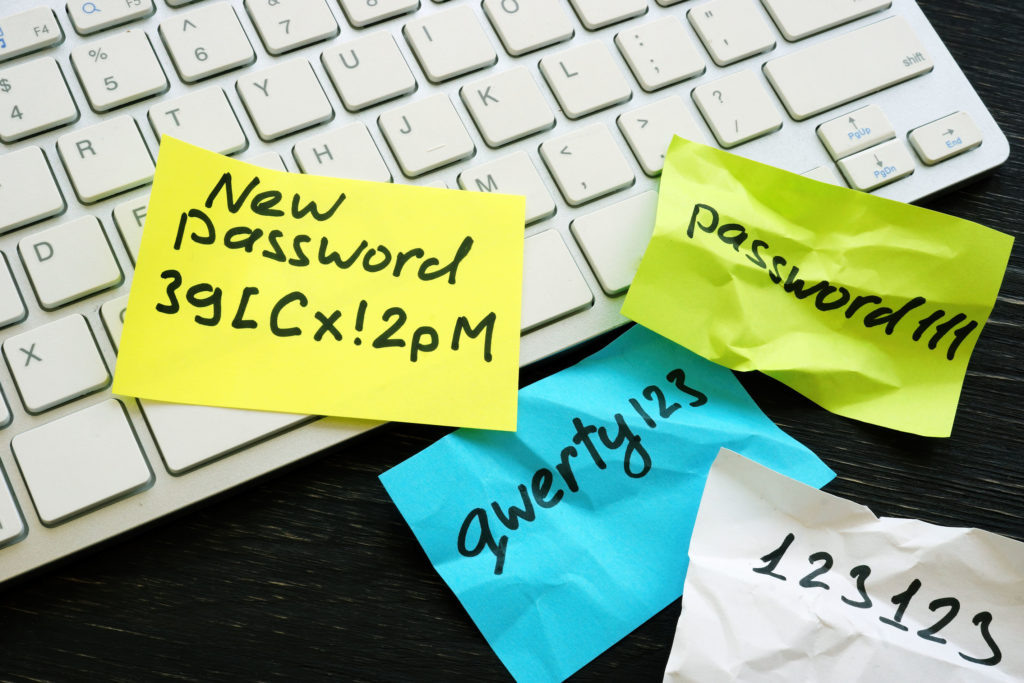
If you were to survey your employees (including yourself), how many “cleverly” hidden sticky notes do you think you would find with passwords written on them? How many not so cleverly hidden notes? While it is true that a person cannot hack a sticky note, prying eyes can still find them.

The primary form of password fatigue is just keeping track of them all. We already understand the flaw with the sticky note method of password storage, the text file named PASSWORDS on your desktop is not any better.

Studies Show

In 2020, Keeper Security – makers of password management and security software – commissioned a study of 1000 full-time employees in the United States. The overall results were concerning:

  • 60% of respondents said their organizations experienced a cyberattack in the past 12 months.
  • Over 50% of these attacks involved stolen credentials.
  • The theft of IT assets caused $5 million or more in damages for 25% of businesses.

The report shares four general findings:

People store and track their passwords insecurely.

  • Over half the respondents admitted to using sticky notes, and two-thirds of those admitted to losing the note.
  • Almost two-thirds of respondents save their passwords in a notebook that over 80% keep near their computer.
  • Respondents using digital methods of storage use insecure files on the cloud, on their desktop, or on their phone.

People use weak, easily guessed passwords.

Names and birthdays do not belong in a password!

People share passwords with unauthorized parties.

While a small percentage of respondents admitted to sharing work passwords with spouses and family members, that it was a notable amount is concerning because some industries have regulations around who views specific data. Even without a data breach, a company could find itself severely penalized.

Employers do not do enough to protect passwords.

  • Almost half of respondents reported that their company shares passwords for accounts with multiple users.
  • Roughly a third of those surveyed allowed as how they shared passwords with team members, managers, or their executive team.
  • Sharing passwords within the workspace frequently occurs by text or email – both of which hackers can intercept.
  • Roughly one-third of respondents admitted to accessing accounts belonging to a former employer – indicating that employers are not disabling accounts of former employees.

The best action employers could take is to create login credentials for every employee for every application. As this can become a complex management issue rather quickly, an enterprise-level password manager may be necessary. These applications allow for safe generation and dispersion of passwords to authorized users only.

Managing Passwords

While password-less technology is out there, it is not the mainstream solution. So, what’s a business to do?

Password managers are a way to generate, store, and apply passwords. They are significantly more secure than your sticky note or PASSWORD text file. They do not, however, reduce the need for the security of passwords. To do that, you need to apply additional measures:

single sign-on allows access to multiple (related) applications with a single password. This technology reduces the number of passwords a person must remember as well as how many different applications require a unique login.

Biometric solutions are becoming more common, and not just for phones. (Has your kid ever asked for your face while pointing your phone at you?) While you are more likely to find a fingerprint scanner on a laptop, they are available for desktops.

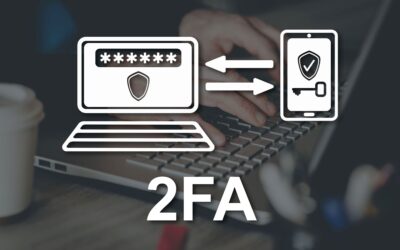
Two-factor authentication does not reduce the number of passwords in a person’s life; however, it does give increased strength to passwords – those not so strong ones need all the help they can get. Although two-factor and two-step authentications are slightly different, both require users to provide extra input to access an account.

What We Like

Cantrell’s IT advocates multi-factor authentication (MFA) for the highest security. This type of security requires users to know something presumably only they know (a password) and have something only they have external to where they are logging in, such as their phone or a security fob.

We like MFA because the people who really know, like it. Microsoft found that multi-factor authentication halted 99.9% of automated attacks. Google did a year-long study on the topic with similar results.

There are multiple applications and multiple combinations that can help ease password fatigue, to learn what would work best for your organization, give us a call.

Having Cybersecurity is More Powerful than Just Thinking About It

A common theme among small business owners is the thoughts they have about improving their cybersecurity. For these individuals, the priority ebbs and flows based on local news of successful hacks or a colleague’s bad experience. It is likely they may have been thinking about it for years.

Conversely, successful business owners with cybersecurity systems in place who ACT quickly when new threats arise. There is a stark difference between thinking and doing. And doing is likely uncomfortable.

Let’s face it – Improving cybersecurity most likely will not increase your sales (although it could if leveraged as a competitive advantage). Researching, strategizing, and DOING your business is more FUN. You’re good at it. You could do it all day. It feels good!

Taking a close look at your company’s cyber vulnerabilities – well that’s not so fun. Who wants to look at vulnerabilities of any kind? What’s more, DOING the cybersecurity improvements takes time and money. First, there are all the questions that need answering:

  • Who has access to your data?
  • What data needs protecting no matter what?
  • Do you have an IT department that can take on the extra workload?
  • How many devices need protecting?
  • Are all your devices always on-site, or do you need remote protection?
  • What hardware do you need versus applications installed?
  • What applications do you install?
  • Do you want real-time monitoring?
  • How much security can you get on a limited budget?
  • Just to name a few…

Once the system is in place, you get to spend more time training, keeping up to date, and working through the hiccups that occur whenever any new system goes into place.

By all accounts, cybercrime is only getting worse. In their recent Internet Crime Report for 2021, the FBI noted that the cybercrime reports to the Internet Crime Complaint Center (IC3) jumped from just over 300,000 in 2017 to almost 850,000 in 2021. And losses from $1.4 Billion to $6.9 Billion. 2.5 times the number of complaints resulted in five times the amount of losses! Cybercriminals are hitting more people and each crime costs more. Luckily, a higher percentage of people are also reporting these crimes to officials.

To bring the point home, Cantrell’s IT recently had three businesses contact us in one week because of a new scam.

Deep inside you know you must take action to protect your business. And yet, there are at least half a dozen excuses or tasks that “must” be done today: your desk is messy; your inbox is full; you suddenly have this craving to write a workplace memo NOW – allowing you to talk yourself out of acting on your need for cybersecurity.

Here’s a way to break that cycle. Instead, think of daily micro-actions to take for improving cybersecurity. One small step – that is big for your business – is to contact Cantrell’s IT at 925-827-1200. Let’s talk about how to move forward with small steps to achieve your goal. It’s a small step, take it now and FEEL BETTER!

How a Computer Refresh Now Could Benefit Your Business

You may have heard that computer sales are down. In fact, Computerworld put it rather bluntly in their article PC sales fall off a cliff. Obviously, as a business that sells computers, this headline is a bit startling. On the other hand, as a small business owner supporting other small business owners, this is actually good news. Now may be a great time to give your business the boost that upgraded computers provide.

The primary reason computer sales are down is pretty obvious when you think about it. During the pandemic, many corporations set up employees to work from home and parents had to equip students for distance learning. That was a whole lot of computers purchased recently. Those computers, assuming they were of quality business-grade equipment, are still in good shape. Therefore, those corporations and parents are not in the market for computers.

Small businesses, however, were less likely to purchase new equipment during the pandemic. Many were doing everything they could just to stay in business. Those computers are now almost three years older. Unless they were new when the shutdown began, the standard three- to five-year useful life expectancy is soon to expire.

Why Refresh

We all like new, it’s fun. But “because it’s new” is generally not a sufficient reason to invest in new computer equipment.

On the other hand, if you are out of warranty, if your machine is sluggish, or if you’re running out of storage space, a new computer is worth considering

Business Equipment for Your Business

Business-grade computer equipment uses better materials, such as metal hinges instead of plastic, and is more durable. Additionally, when you buy the best you can today, you extend the time before you need to refresh again. Translation: a new top-of-the-line business computer now means you can stop thinking about it for another five to seven years – saving both time and money! In our experience, business-grade computers provide the lowest cost of ownership even though they may cost a few hundred dollars more initially.

Lastly, new equipment includes upgraded security. Both Cantrell’s Computer Sales & Service and Cantrell’s Information Technologies want your data – your business – secure.

Why Refresh Now

There are several reasons now is a good time for a computer refresh:

  1. Availability
  2. Inflation
  3. Taxes

Availability

Because fewer people are currently buying computers, there are computers available to buy. Better yet, computers are on sale! Yes, there are always sales this time of year. However, because computer sales have taken such a big hit, companies are doing more to get you in their door.

Inflation

Why would inflation be a good reason to buy anything, let alone a computer? Because while there is inflation just about everywhere else, computer companies are trying to increase sales, so they are keeping their prices down. No one can say when inflation will catch up with computers, so now is better than later.

Taxes

Investing in your business generally feels expensive. However, there may be tax benefits to purchasing computer equipment before the end of the year. Talk to your CPA to find out how much a computer refresh for your business now can save you come filing time.

When All Is Said and Done

If you need computers to do your business, but computers are not your business, deciding when and what to buy can take more time than many have to give. Contact Wade Cantrell at Cantrell’s Computer Sales & Service and we can help you through the computer buying process.

Is Your Phone Really Protecting You? The Downside of Using Text for 2 Factor Authentication

Two-factor authentication is a critical security measure in today’s digital world. As hacker creativity increases, so does the need for securing your online accounts. That is why many sites encourage – or require – confirmation that you are, in fact, you: two-factor authentication (2FA). The most common form of 2FA is for the site to send a text to your mobile phone or email with a code you enter on the site.

While nothing is 100%, all of us at Cantrell’s IT are big fans of 2FA. The idea of requiring something you know (your password) and something you have (your phone) to access your data just seems like a wise extra step to us because it makes hacking much harder for the cybercriminals. After all, while passwords can be hacked, if you have your phone, you’re safe, right?

Maybe not.

Old Technology

Text messages use short message service (SMS), an old technology that was never intended to be secure. Here are some things to keep in mind:

  • Your cellular provider keeps your text messages. They generally keep the message itself for only a few days; however, the date, time, and phone numbers involved are saved for much longer and are subject to subpoena.
  • Most governments can monitor SMS messages.

In the case of 2FA, these might not seem to be a problem. An authorization code usually expires within a few minutes, so having it saved by your carrier is probably not an issue. And if your records are being subpoenaed or a government is actively monitoring your SMS messages, it is not to access an account confirmation code (and we suggest you find a very good lawyer).

However, there is another reason SMS is not good for 2FA:

  • A text message is not encrypted during transmission, which means that anyone with enough technical know-how can intercept and read it.

A text message security code became common for verification not because it uses secure technology but because just about everyone has a cellular phone – assuming someone hasn’t stolen your number.

Have You Heard of SIM Swapping?

It turns out that being in possession of your phone does not guarantee that you will receive a verification text message. The bad guys are getting better at convincing carriers to port phone numbers to different SIM cards.

Basically, they take control of your phone, redirecting calls and texts to their own device. Now they control the ability to confirm your identity because they receive your text messages – including those with an authentication code.

Every account – banking, shopping, social media – that connects to your phone number is now at risk.

You can suspect a SIM swap if you suddenly lose the ability to make/receive calls and texts. If you then discover that you are locked out of your account you need to go into a storefront for your carrier and prove you, not the person who has stolen your number, are you.

If Not Text, What?

We recommend other 2FA methods that are more secure than text messaging. There are applications called authenticators that you can use for the second part of 2FA. While primarily for phones, there are desktop applications as well. The difference between an application on your phone that asks for confirmation and receiving a text message with a confirmation code is that the application is linked to the device, not your phone number. Authy and Microsoft Authenticator are two good examples of authenticators.

Another 2FA method is the use of security keys. These are physical devices that you plug into your computer or connect to your phone via Bluetooth or NFC (near field communication). Examples include YubiKey and Google Titan Security Key. This is one of the most secure methods because even if a hacker gets your username and password, they still can’t access your account without the physical security key.

While SIM swapping is becoming more problematic, any form of 2FA (including text messages) greatly increases the security of your accounts and data over not using 2FA at all.

Feeling Confused?

We understand. I remember rotary phones. They worked great until they didn’t – technology moved forward.

Part of what Cantrell’s IT offers is education and training on these topics. We can help you and your employees implement security steps, such as 2FA using authenticator apps, to improve the security of your critical business data. We also offer services for monitoring and emergency response planning for when the bad guys are just more determined than any security measure.

Before you need it is the best time to install data security measures, call Cantrell’s IT to secure your business.

How To Know Your Data Is Secure: Prove It

Do you know your data is secure, or are you just assuming? And by “secure,” I mean safe from other people’s eyes as well as recoverable.

We’ve talked about the multiple ways to keep unwanted people out of your information:

  • Educate your people.
  • Have complex and changing passwords.
  • Use two-factor authentication.

As most of those require regular action, it is easier to keep that sort of security in mind. What about the parts that do not require regular action? Do you know, for a fact, that your automatic backups are actually backing up your data in the location(s) you specified? Are you sure you could recover your data if you discovered your laptop was your dog’s favorite new chew toy?

Have a fire drill and find out.

Data Fire Drill

Even if it was only in school, you have had a fire drill. You practiced getting your coat and calmly leaving the building, meeting at a designated spot, and waiting for the all-clear. A data fire drill is similar.

Here is an example of a data fire drill: Let’s assume your usual workstation shuts down unexpectedly and will not restart. From a computer different than your usual workstation, go get your data from your backup locations. As this is only a drill, just grab a couple of files – at least one old and one very new. Was it easy to find, download, and open these files? Was the downtime reasonable? What obstacles did you encounter?

The thing about automatic anything is that they have a habit of stopping. How many times have you had to pull open an “automatic” door? And, of course, they always break down when you really need them to be working. However, they seem to behave when you check on them regularly.

What to Test

This is more than just “are the files backing up.”

  • Do you even know how to access your backup program from a different computer? (For that matter, do you know how to access it from your own computer?)
  • Are the files where you expect them to be?
  • Are the backed-up files as current as you expect them to be?
  • If you have multiple backup locations, are they all working as expected?
  • Did the replacement computer have the necessary applications to open these files?

What Does “Regularly” Mean?

There is a balance between doing your day job and making sure everything is safe and secure. Unless you are working on something so vital that you cannot afford to lose more time on it, we suggest running a data fire drill twice to four times a year. Assuming everything checked out last time, or you fixed what needed fixing, then you reasonably limit how much damage catastrophic loss of your hardware can do.

We used to suggest doing a drill when you changed your clocks; since Standard Time is only about four months – if your state changes it’s clock, that timing is a bit out of balance.

Now we suggest running a drill as soon as possible and setting an alert in your calendar for three to six months from then. To save yourself some effort, make it a recurring event!

Need Help?

If you question any aspect of your data security – from passwords to backups – always feel free to contact Wade at Cantrell’s Information Technologies. (wade@cantrell-tech.com or 925 827 1200)